Six roles,
one seamless handoff
Each role picks up exactly where the last one left off — no gaps, no context lost, all in a single workspace.
Step 01
Organization Admin
Set up the workspace
Everything starts with the org. The admin builds the home base and hands each person the right portal.
- Create the organization and pick a plan.
- Invite people and assign their role portals.
- Spin up the first projects and watch company-wide analytics.

Step 02
Supervisor
Safeguard delivery
Supervisors sit above the projects, keeping teams staffed and every release on a healthy track.
- Oversee multiple projects and their teams.
- Assign Project Managers and balance workloads.
- Track coverage, pass rate and team leaderboards.
Step 03
Project Manager
Plan the delivery
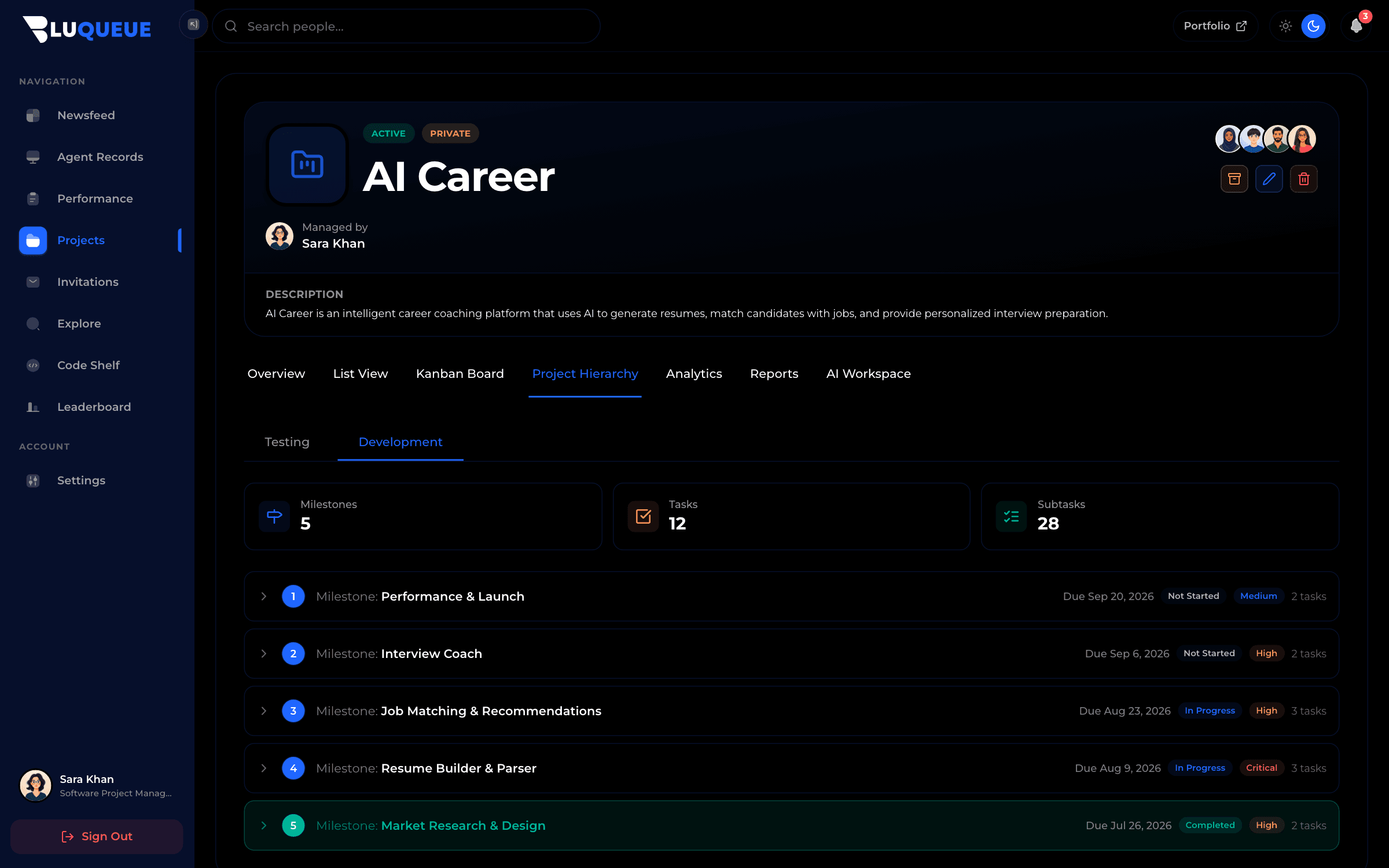
The PM turns goals into a structured plan — milestones, tasks and the test scope that proves it works.
- Break work into milestones, tasks and subtasks.
- Build the project hierarchy and assign owners.
- Define test plans and lock the release scope.
Step 04
Team Lead
Drive the squad
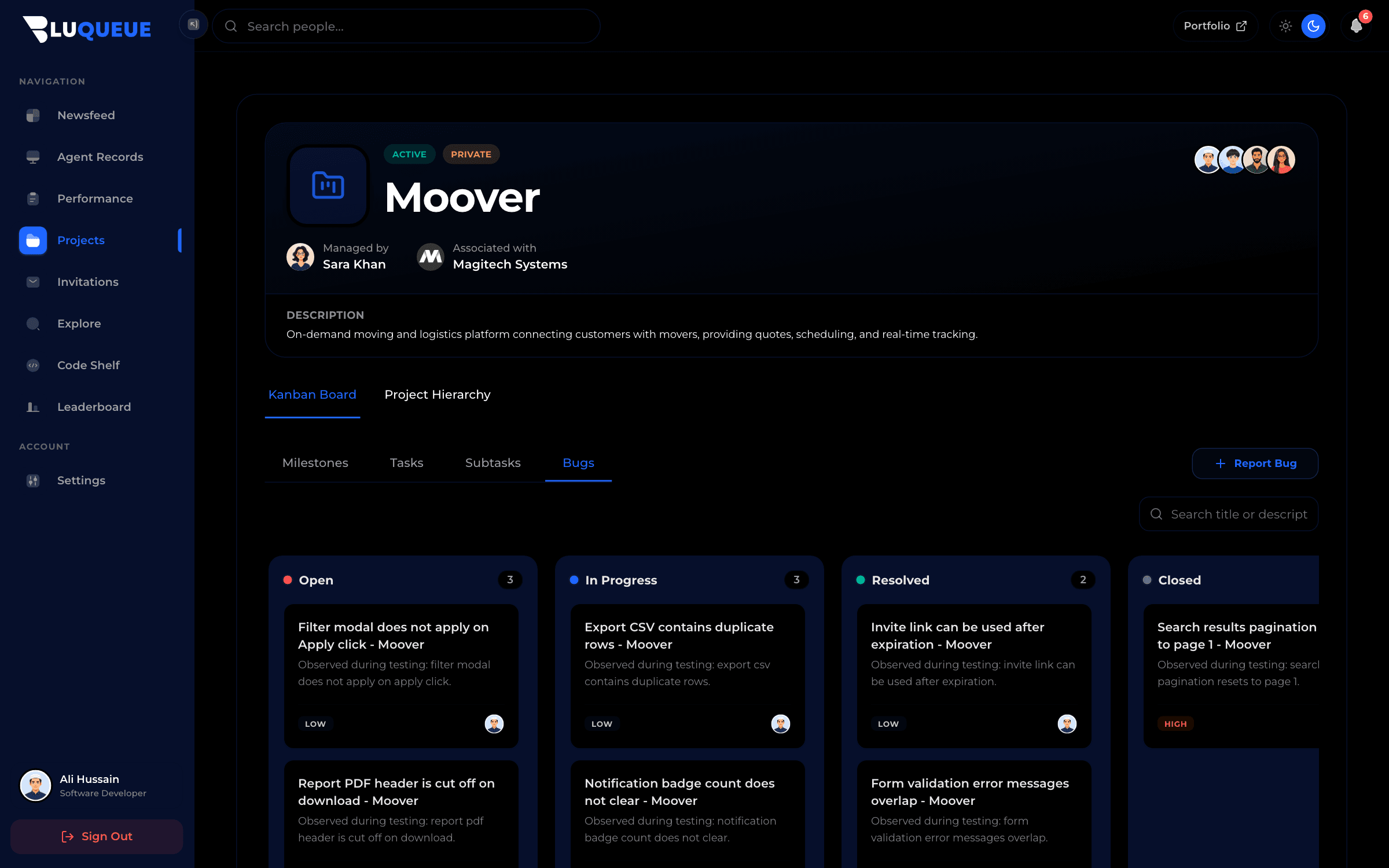
Team leads run the board day to day, unblocking developers and keeping milestones moving.
- Manage the kanban board and clear blockers.
- Review progress and reassign work as needed.
- Keep milestones and deadlines on track.
Step 05
Developer
Build and fix
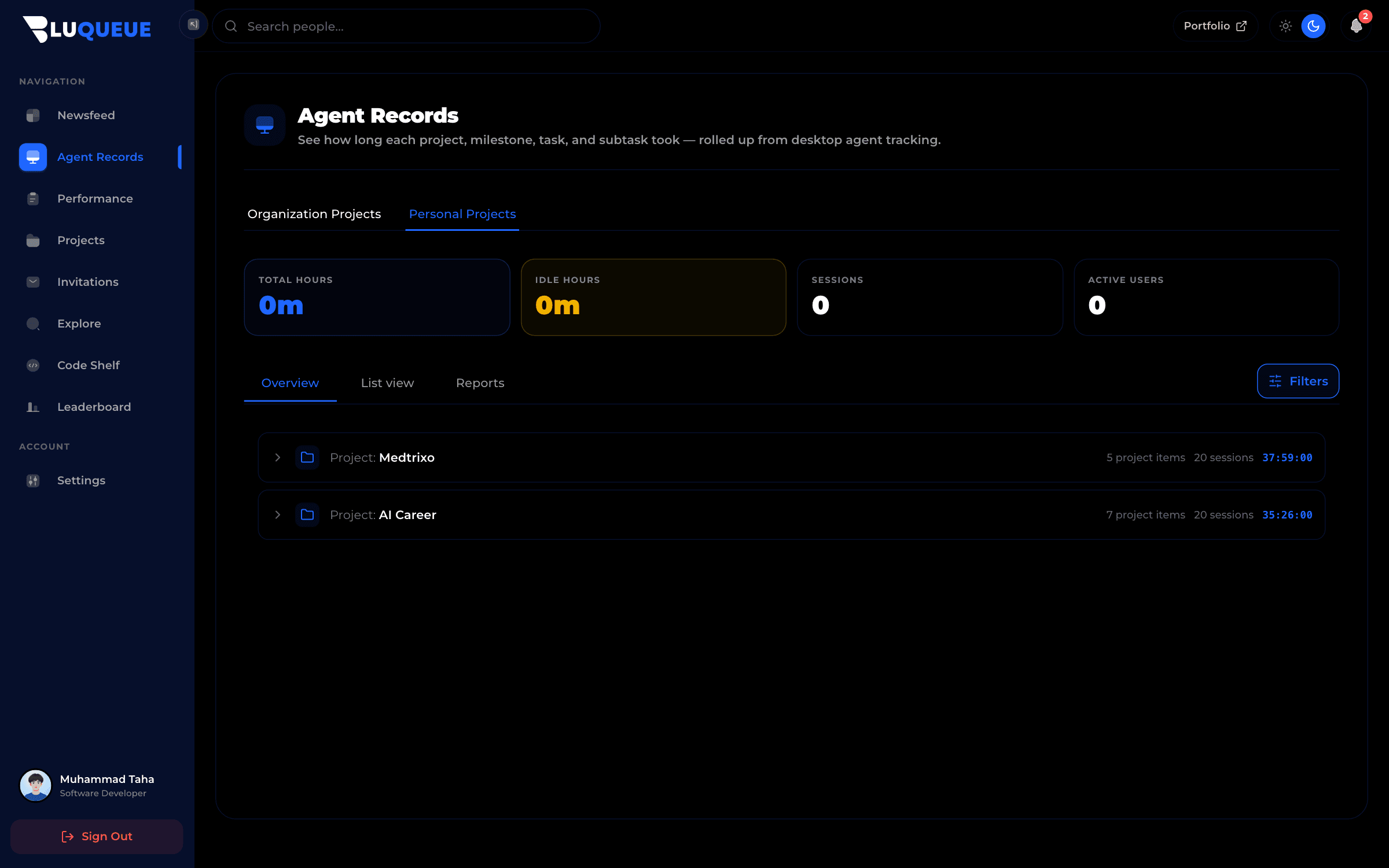
Developers pick up the work, ship it, and let the desktop agent track time automatically.
- Pick up assigned tasks and move them across the board.
- Track active time automatically with the desktop agent.
- Fix reported bugs and share wins in the newsfeed.
Step 06
Tester
Test and verify
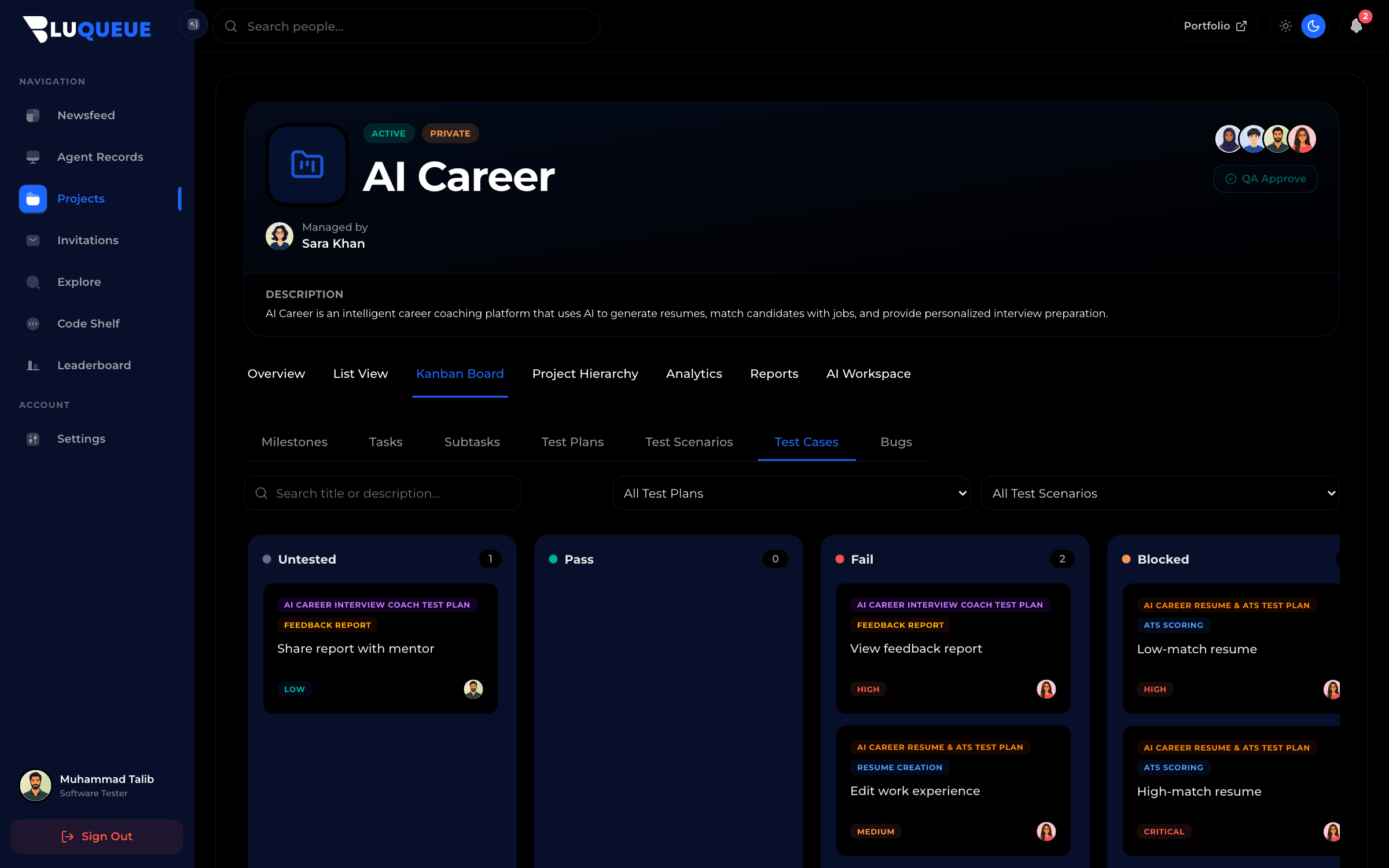
Testers close the loop — turning the plan into cases, running them, and raising the bugs that keep quality high.
- Write test scenarios and cases from the plan.
- Execute suites and record deterministic results.
- Raise bugs with full reproduction steps and impact.
Time tracked where the work happens
Developers slide to clock in and the BluQueue desktop agent handles the rest — syncing projects, milestones and tasks, and tracking active time in the background with smart idle detection, so hours land on the right work automatically.
- Smart background time tracking with idle detection
- Project, milestone, task, and subtask sync from BluQueue
- Active app and window tracking
- Analytics page with daily insights
- Offline-first storage with one-click sync when you are ready
Live tracking
& real reports
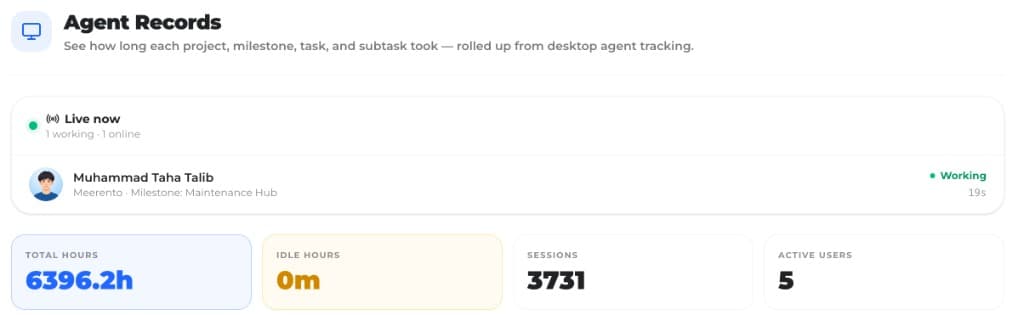
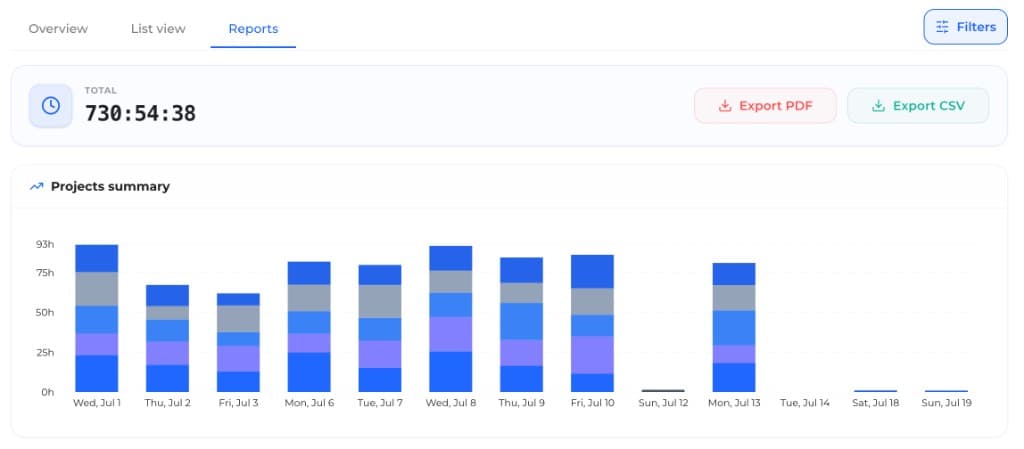
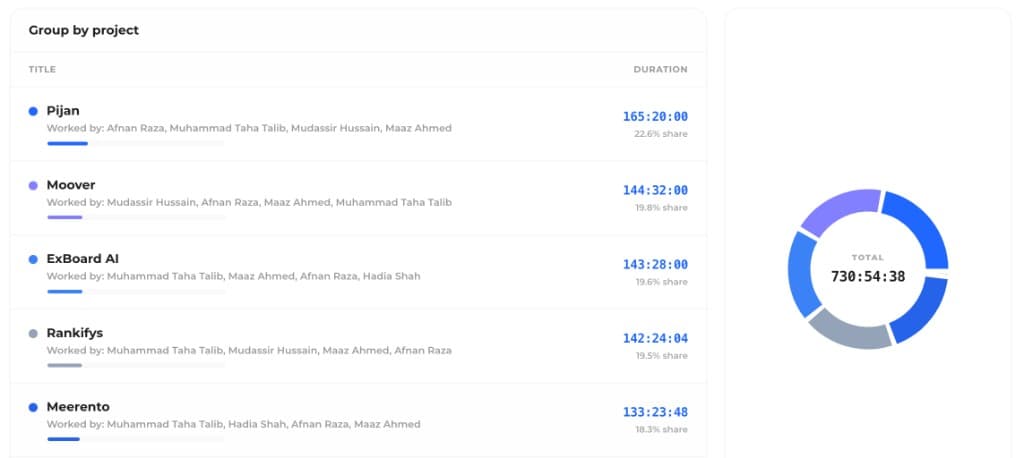
Every clock-in on the desktop agent feeds your org's live presence, hour rollups, and project reports — so time tracking is useful the moment work starts.
See who is working right now
Admins and supervisors get a live feed of who is online, who is working, and which project, milestone, and task they are on — rolled up from every desktop agent.